Personalization is no longer a side feature in eCommerce; it’s a defining expectation. In the 3D printing sector, this demand is even stronger — 82% of customers now place their orders online and seek tools that give them control and clarity. A custom 3D printed map configurator on Shopify meets that need by connecting GPS route data with real‑time 3D previews, allowing buyers to design, customize, and order with confidence.
Through our expert ecommerce personalization solutions our team built a tool that integrates Strava and GPX file imports, automatically centers maps on user routes, and generates personalized 3D printable terrain models ready for production. By combining advanced mapping technology with automated STL file generation, we reduced manual effort and created a clear, efficient workflow for customers.
This blog explores how the custom 3D printed map tool works, the essential features behind its development, and the advantages it brings to D2C and print‑on‑demand brands. Let’s break it down step by step.
What Is a Custom 3D Printed Map Tool?
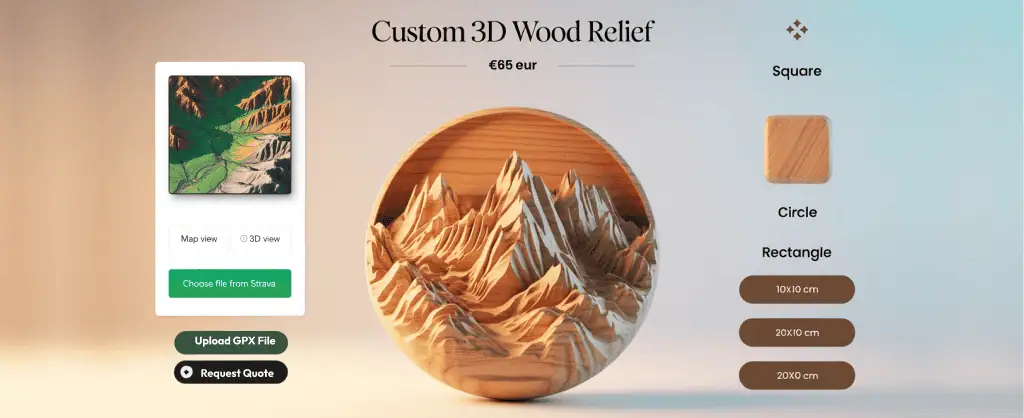
A custom 3D printed map tool is a Shopify‑integrated application that transforms outdoor route data into personalized 3D printable terrain models. Instead of static product listings, it gives customers the ability to upload their own data — whether it’s a Strava 3D print of a cycling route or a GPX to 3D map of a hiking trail — and instantly see their journey turned into a physical keepsake. Once the data is uploaded, the tool automatically converts the route into a detailed 3D terrain model, ready to be visualized and customized.
Watch the video below to see how a digital route evolves into a handcrafted 3D wooden map — bringing every adventure to life.
How the Tool Works:
To see the whole process in action, here’s a walkthrough video that demonstrates how the tool works.
- Upload route data: Customers can import activity files directly from Strava or upload a GPX file to begin.
- Auto‑center the map: The tool automatically focuses on the selected trail or cycling path, ensuring the 3D printable terrain models are aligned with the route.
- Preview the terrain in 3D: A live visualization displays accurate elevation data, allowing users to see Strava 3D print map before ordering.
- Customize the model: Options include size, shape, material, and engraving, giving full control over the final 3D printable terrain models.
- Place the order: Once the design is finalized, customers complete their purchase through Shopify checkout. A separate confirmation message is sent with details, and the STL file is automatically prepared for production of their custom 3D printed map.
What key features should a Shopify app include for a custom 3D printed map?
Building a custom 3D printed map tool requires a balance of technical precision and user‑friendly design. Each feature should clearly show how it supports the journey from Strava 3D print or GPX to 3D map upload to a personalized 3D printable terrain models.
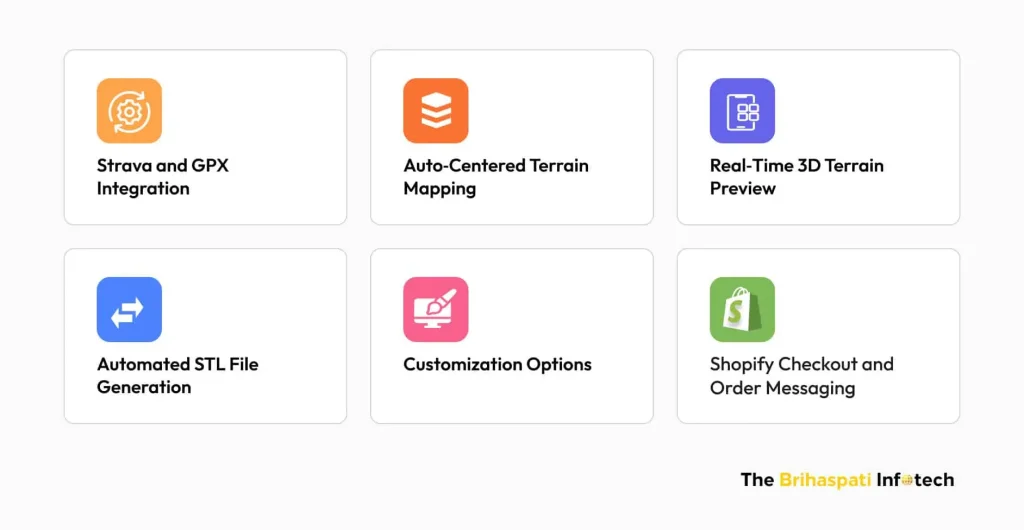
Strava and GPX Integration
Enable customers to bring in their own route data.
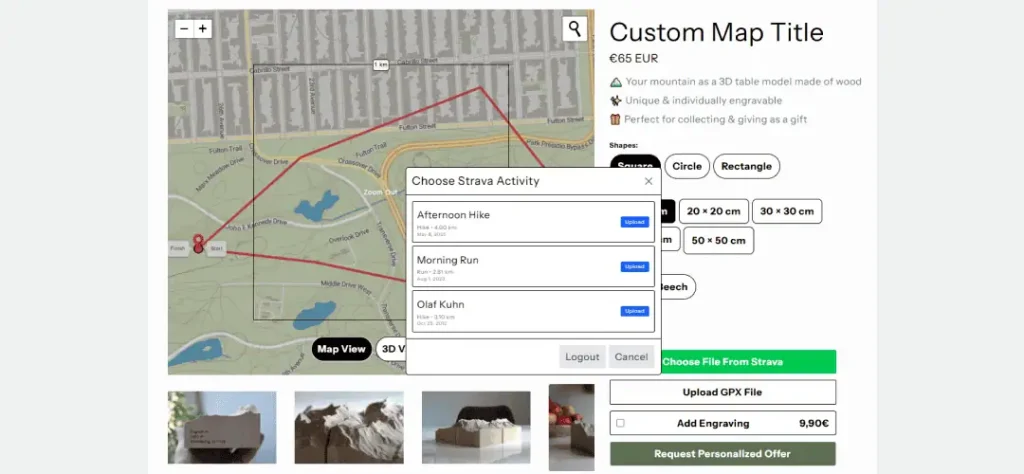
- Direct Strava connection: Import cycling or hiking routes instantly.
- GPX file upload: Support for universal activity files.
- Personalization foundation: Every Strava 3D print or GPX to 3D map starts here.
Auto‑Centered Terrain Mapping
Ensure the terrain preview focuses on the right area.
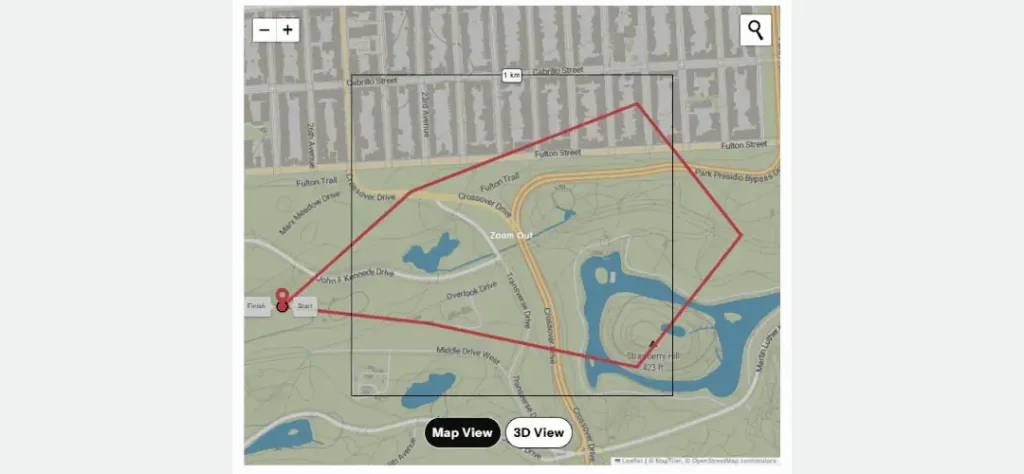
- Automatic centering: No manual dragging or resizing needed.
- Precision mapping: Keeps the route aligned with the terrain contours.
- Customer clarity: Users see exactly the section they care about.
We’ve previously implemented similar auto-centering and location mapping logic in a custom map printing WordPress plugin, proving its flexibility across platforms.
Real‑Time 3D Terrain Preview
Show customers what their model will look like before checkout.
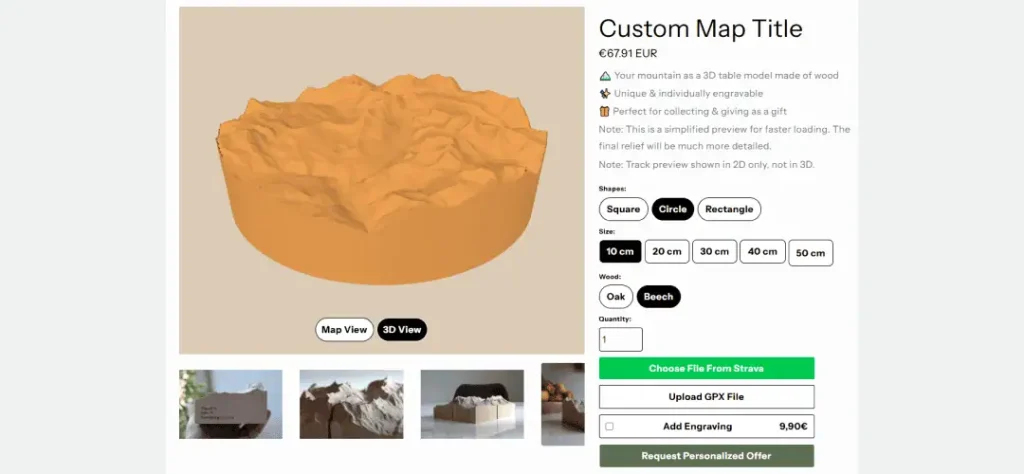
- Elevation visualization: Accurate 3D print elevation map rendering.
- Interactive preview: Rotate, zoom, and explore terrain details.
- Decision support: Builds confidence in customization choices.
Real-time 3D previews like this are a cornerstone of advanced configurators we’ve built, including enterprise solutions for visualizing complex agricultural machinery (trailers, sprayers, and attachments) with seamless updates and optimized performance. For a detailed case on scaling interactive 3D to heavy-equipment customization on Shopify Plus: How to Build a 3D Agricultural Configurator.
Automated STL File Generation of Custom 3D Printed Map
Convert terrain data into production‑ready files.
- Instant STL output: No manual modeling required.
- Consistency: Every order is generated with the same accuracy.
- Scalability: Supports higher-order volumes without extra overhead.
Customization Options for 3D Printable Terrain Models
Give customers control over the final product.
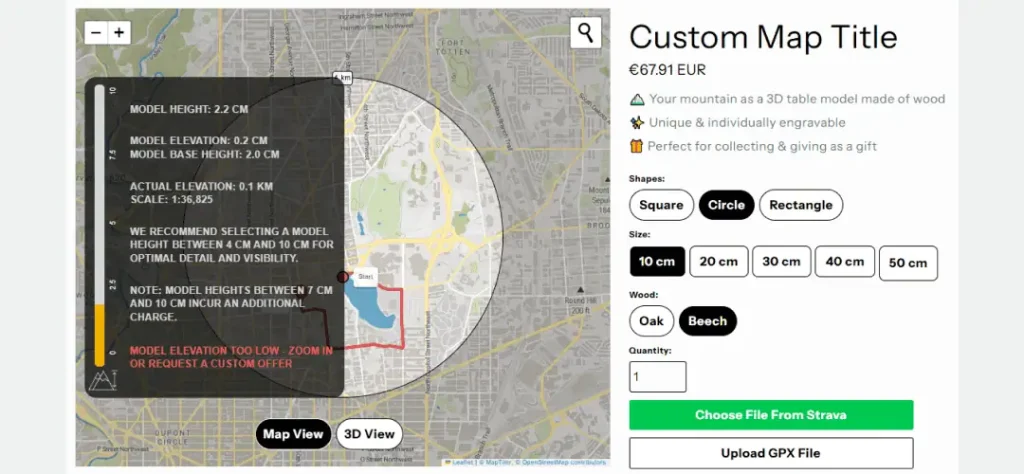
- Shapes and sizes: Square, circle, rectangle; multiple dimensions.
- Materials: Options like oak or beech for different finishes.
- Engraving: Add names, dates, or summit markers for personalization.
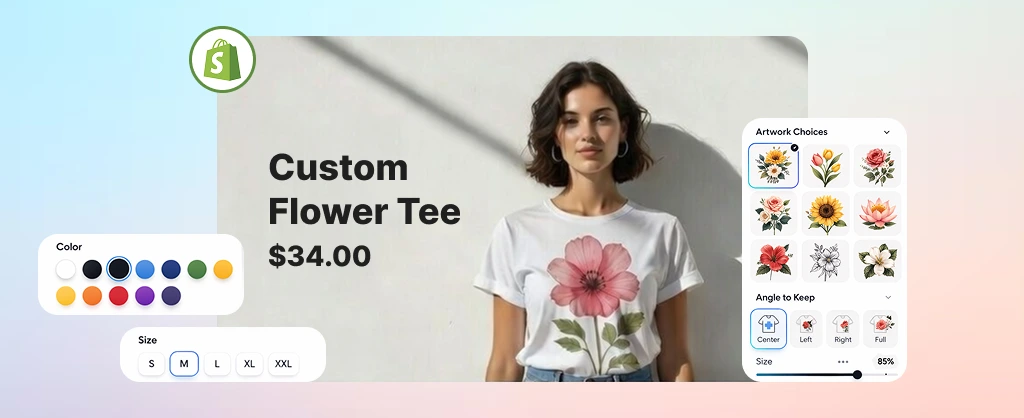
We’ve implemented similar customization experiences in other POD tools as well — such as the custom Wall Art Design Tool we built for Shopify stores — where shoppers personalize designs from scratch and preview their final artwork before purchase.
Shopify Checkout and Order Messaging for Custom 3D Printed Map
Close the loop with smooth purchasing and communication.
- Integrated checkout: Directly tied to Shopify’s native flow.
- Automatic STL generation: Triggered after purchase.
- Separate confirmation message: Keeps customers informed post‑order.
We applied a similar, Shopify‑native order processing flow in our Custom Shipping Label App — ensuring that, from checkout to fulfillment and label generation, everything stays automated and seamless.
How to develop a Shopify app for a custom 3D Printed Map Tool?
At The Brihaspati Infotech, our team developed a custom Shopify app for a 3D printed map that transforms outdoor route data into personalized 3d printable terrain models.
By integrating Mapbox and Strava, we replaced manual modeling with real‑time terrain visualization directly inside Shopify. Route data is processed securely, converted into watertight STL files through a Python microservice, and previewed in a React‑based extension. This architecture ensures compatibility across platforms, smooth checkout, and flexible use cases ranging from cycling routes to hiking trails.
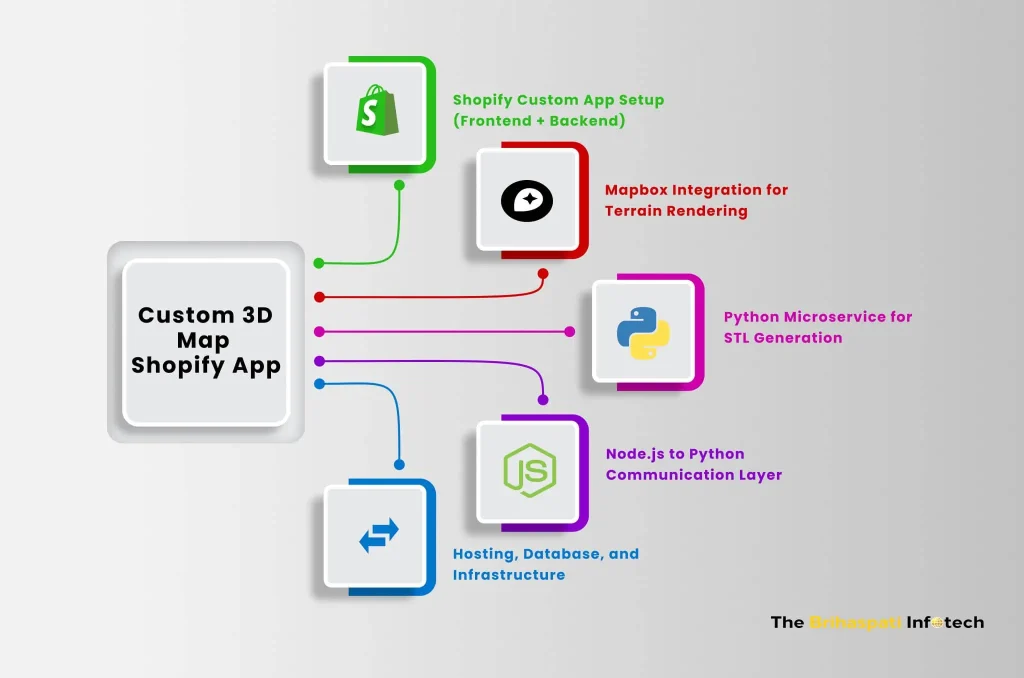
Below is a breakdown of how we built and delivered this Shopify app for a custom 3D printed map:
1. Shopify Custom App Setup (Frontend + Backend)
- Frontend (React.js & Shopify Polaris): Built the interactive extension where users upload GPX files or connect to Strava, preview maps, and customize options.
- Backend (Node.js + Express.js): Managed authentication, API requests, and session handling. Integrated with Shopify REST + GraphQL APIs for product, order, and shop data.
- Shopify App Bridge React: Enabled seamless communication between the embedded app and Shopify Admin.
2. Mapbox Integration for Terrain Rendering
- Mapbox GL JS + Terrain‑RGB API: Fetched elevation data and rendered dynamic 2D/3D maps.
- GPX & Strava Data Parsing: Converted uploaded routes into GeoJSON for accurate visualization.
- Interactive Preview: Allowed users to toggle between map view and 3D view, ensuring clarity before purchase.
3. Python Microservice for STL Generation
- Flask API: Served as a lightweight microservice dedicated to STL generation.
- NumPy + Rasterio + Pillow: Processed elevation rasters and terrain data.
- Trimesh + STLWriter: Generated watertight 3D terrain STL files ready for printing.
- Optimizations: Mesh simplification, caching, and asynchronous processing improved performance and scalability.
4. Node.js to Python Communication Layer
- Custom Endpoints: Node.js backend sent route/elevation data to the Python service.
- Async Queues: Ensured stable communication and minimized API delays.
- Mesh Validation: Guaranteed STL outputs were optimized and error‑free.
5. Hosting, Database, and Infrastructure
- Database (MySQL + Sequelize ORM): Stored user sessions, route metadata, and product customization details.
- Hosting (AWS + NGINX): Deployed Node.js backend, Python microservice, and database with SSL and reverse proxy.
- Process Management (PM2): Ensured auto‑restart and uptime for Node.js services.
- Caching (Redis + API batching): Reduced Mapbox rate‑limit issues and improved rendering speed.
What are the Benefits of a custom 3D Printed Map Tool for POD and D2C brands?
Developing a Shopify app for custom 3D printed maps doesn’t just enhance user experience — it creates tangible business advantages for print‑on‑demand (POD) providers and direct‑to‑consumer (D2C) brands.
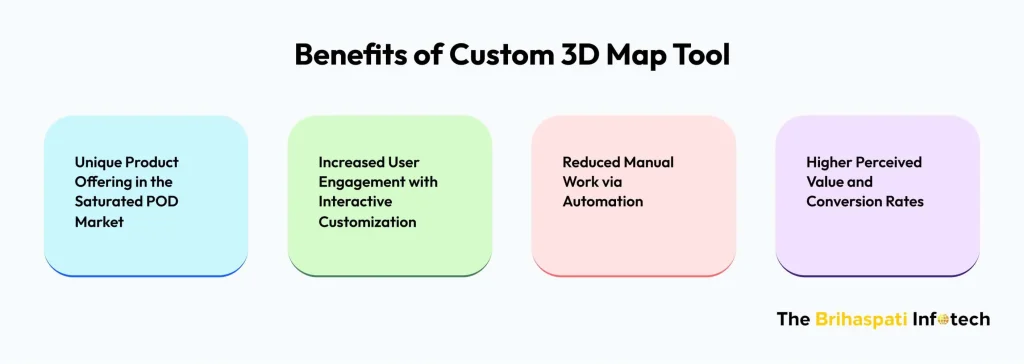
Unique Product Offering in the Saturated POD Market
- Differentiation: While most POD stores focus on apparel, mugs, or posters, offering custom 3D printed map introduces a niche product category that stands out.
- Personalization edge: Customers can tie the product to personal achievements (a marathon route, a mountain climb), making it more meaningful than generic merchandise.
- Market expansion: Appeals to outdoor enthusiasts, athletes, and collectors — audiences often underserved in POD.
Increased User Engagement with Interactive Customization
- Interactive previews: Real‑time terrain visualization keeps users engaged longer on product pages.
- Ownership of design: Customers feel invested when they upload Strava or GPX data and see it transformed into a personalized 3D printable terrain models.
- Social sharing: Unique designs encourage customers to share their creations, driving organic brand visibility.
Reduced Manual Work via Automation
- STL generation pipeline: Automated conversion of terrain data into watertight STL files eliminates manual modeling.
- Streamlined workflow: Orders move directly from customization to production without human intervention with 3D printable terrain models.
- Scalability: Brands can handle higher order volumes without increasing operational overhead.
As automation reduces manual effort and boosts fulfillment speed, it becomes a key pillar in scaling efficiently. For more ideas on streamlining and growing your POD brand, check out our insights on how to scale a print-on-demand business in 2025.
Higher Perceived Value and Conversion Rates
- Premium positioning: A custom 3D printed map tool elevates the product beyond standard POD items, justifying higher price points.
- Confidence through previews: Customers are more likely to convert when they can visualize the final product before checkout.
- Emotional connection: Personalized terrain models tied to real experiences increase willingness to purchase and reduce cart abandonment.
Who can Leverage a Custom 3D Printed Map Tool?
This custom 3D printed map app usage goes beyond technical innovation — it opens new revenue streams for niche eCommerce players. Whether you’re a print‑on‑demand entrepreneur or a direct‑to‑consumer brand, it opens opportunity for personalization.
- Cycling & Running Communities: Celebrate milestones by turning Strava or GPX routes into 3D keepsakes — ideal for post‑race merchandise or achievement rewards.
- Outdoor Gear Brands & Adventure Stores: Offer souvenirs tied to treks, trails, or national parks, letting customers recreate meaningful journeys in physical form.
- Marathon & Event Organizers: Add an experiential touch to event merchandise with physical maps of participants’ achievements.
- Gift Shops & Personalized Product Stores: Cater to demand for location‑based gifts like custom maps or personalized storybooks — both tap into emotional value and elevate product uniqueness in D2C and POD markets.
- Tourism Boards & Regional Platforms: Transform scenic routes and landscapes into branded keepsakes for tourists and locals alike.
By focusing on emotional connection and real‑world experiences, merchants can strengthen customer loyalty, justify premium pricing, and differentiate themselves in the crowded POD market.
Frequently Asked Questions
This custom app is ideal for cycling and running communities, outdoor gear brands, event organizers, gift shops, and tourism platforms — anyone looking to offer personalized, experience‑driven products that stand out in the POD and D2C space.
Hire Shopify app developers to bring similar innovations to your brand.
Unlike static POD items (t‑shirts, mugs, posters), the custom 3D printable map Shopify app offers personalized 3D printable terrain models tied to real experiences. It combines interactive customization with automated STL generation, creating a premium, niche product category that stands out in the crowded POD market.
Looking to build something similar? Hire expert Shopify developers to design and implement custom apps.
The cost of building a custom Shopify app for 3D printed maps depends on several factors:
Customization: Features like Strava/GPX route uploads, real‑time terrain previews, or multi‑map support.
Complexity: Advanced logic such as mesh simplification, STL optimization, or event‑based product bundles.
Platform Integration: APIs like Mapbox and Strava, plus backend services for STL generation.
Extra Features: Options like social sharing, analytics dashboards, or admin controls.
Need a precise quote for your 3D printed map app project? Contact us
The development timeline for a 3D printed map app depends on several factors:
Level of customization
Complexity of features
API integrations and backend services
On average, building a tailored Shopify app for custom 3D printed map takes about 1 to 2 months.
Need a specific timeline for your project? Contact us
Conclusion: Custom 3D Printable Map App for Shopify
A custom 3D printed map app is more than a product configurator — it’s a bridge between personal experiences and eCommerce innovation. By enabling real‑time terrain previews, automated STL generation, and seamless Shopify integration, it empowers merchants to deliver unique, premium offerings while reducing operational overhead.
At the same time, this solution fits into the larger POD and D2C ecosystem, where personalization and automation drive customer loyalty and measurable ROI. With our best Shopify web app development services, we specialize in building intuitive, scalable, and secure apps that transform niche ideas into commercially viable solutions.
Looking to explore more? Check out our guide on 10 Best Ways to Use Shopify Flow for Smarter Ecommerce Automation, where we share practical strategies to automate order tagging, fulfillment alerts, inventory sync, and more — perfect for scaling personalized POD products like custom 3D maps.
Ready to build your own? Contact us today. Let’s create a Shopify solution that brings your custom 3D printed map vision to life and fits your business exclusively.
Stay Tuned for Latest Updates
Fill out the form to subscribe to our newsletter